Using the Matrix
Schedule positions across dates on one grid.
5 min read · 4 steps
Open the Matrix
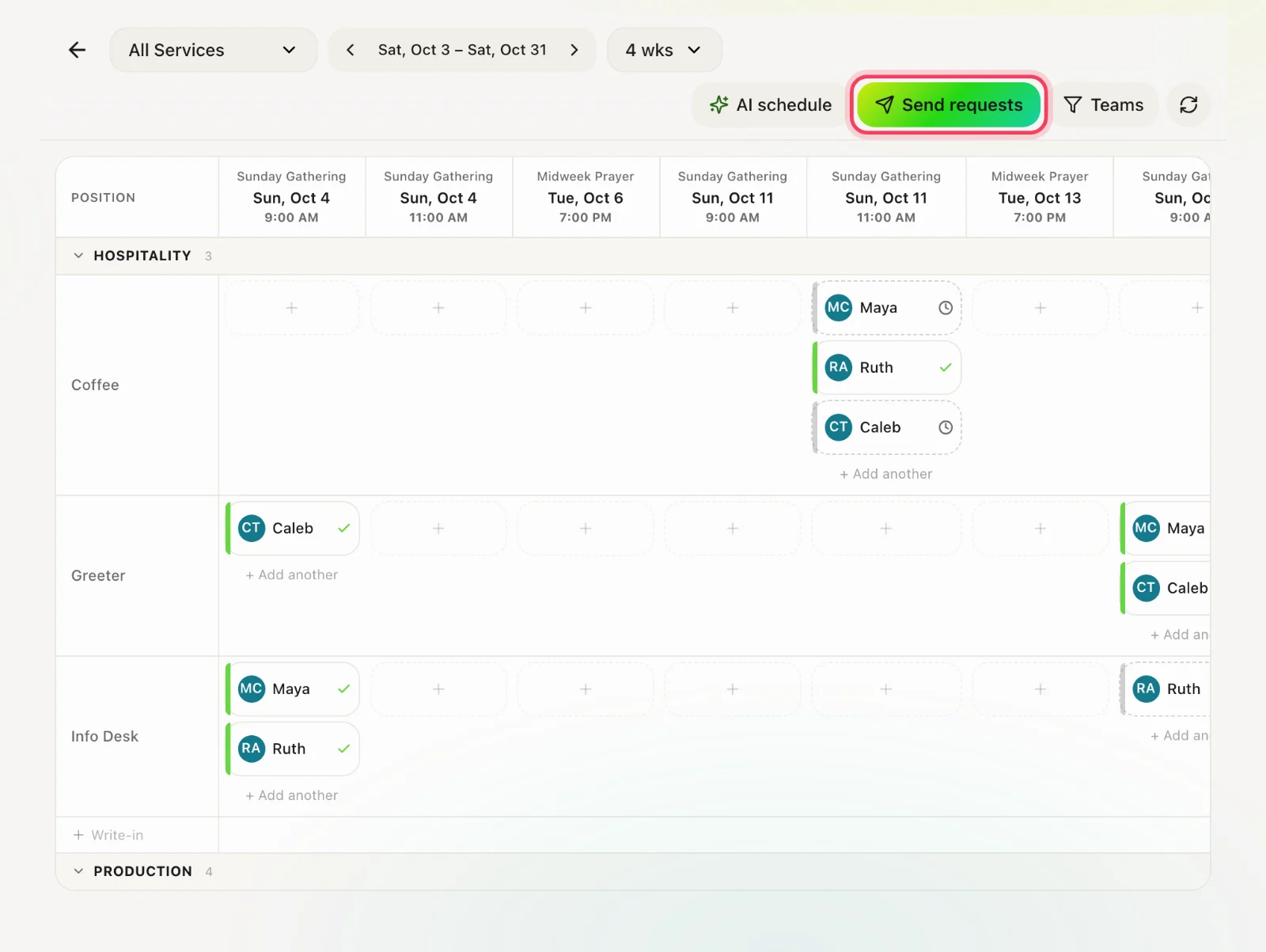
Matrix in the navigation. Rows are positions and people; columns are service dates.
Choose scope
Pick a service, a team and how many weeks to show. On a phone the grid becomes a list so cells stay tappable.
Assign
Tap a cell to put a person on a position for that date. Away dates and conflicts are shown so you do not schedule someone who is out.
Send a schedule drop
A drop emails or notifies people of the request. They accept or decline. Watch the grid for pending, accepted and declined before Sunday.