Creating a service order
Build the order of service with songs, segments, timing and assignments.
6 min read · 5 steps
Open the service date
Go to Serve and open the service date you are planning.
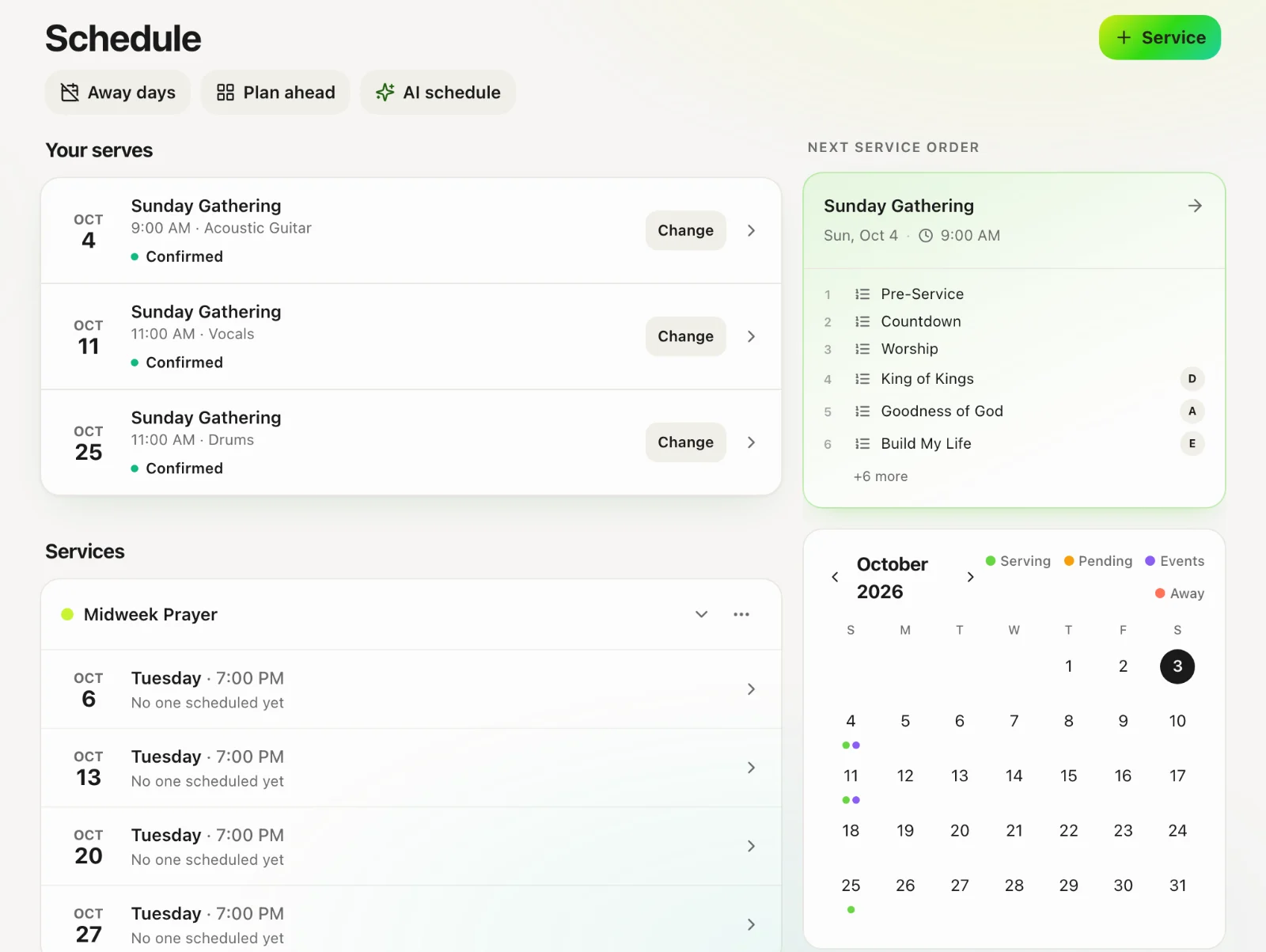
Create the order
Tap Service Order → Create.
Add segments and items
Segments are section headers (Welcome, Worship, Message). Items are songs, notes or stacks. Drag to reorder.
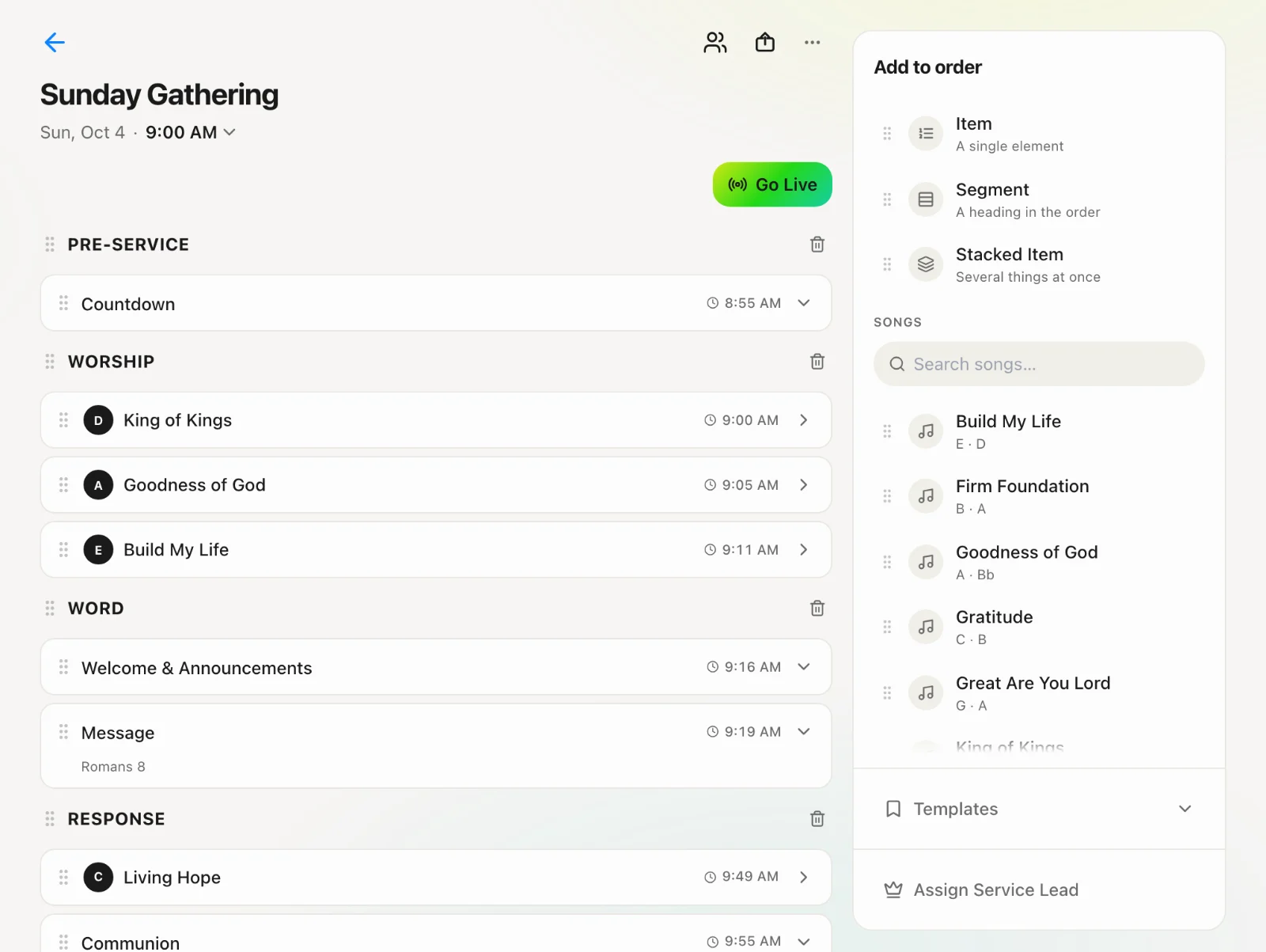
Keys, notes, timing
Set the key for songs. Add team notes, assign people to items, and set start times and durations.
Publish
Publish when it is ready. Share it to the team chat or request approvals from leaders. A draft is only visible to people who can edit orders.