Tasks and follow-up
Assign a job to a person, on a person, and see it through.
3 min read · 4 steps
A task belongs to a person
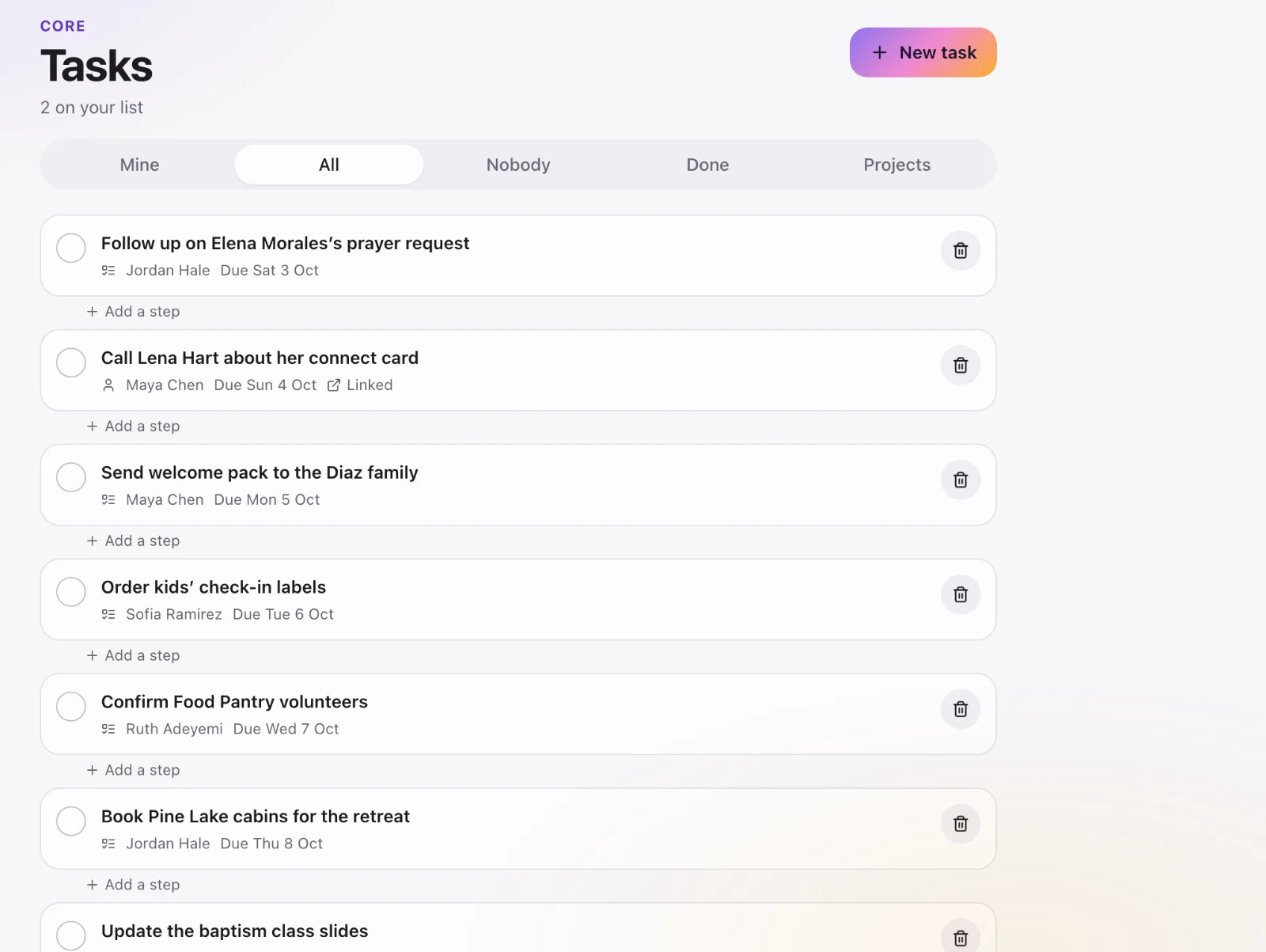
Follow-up lives on the profile it is about — “call Angela about the membership class,” not a sticky note. You can also create a task from the Core dashboard or from a sheet.
Create one
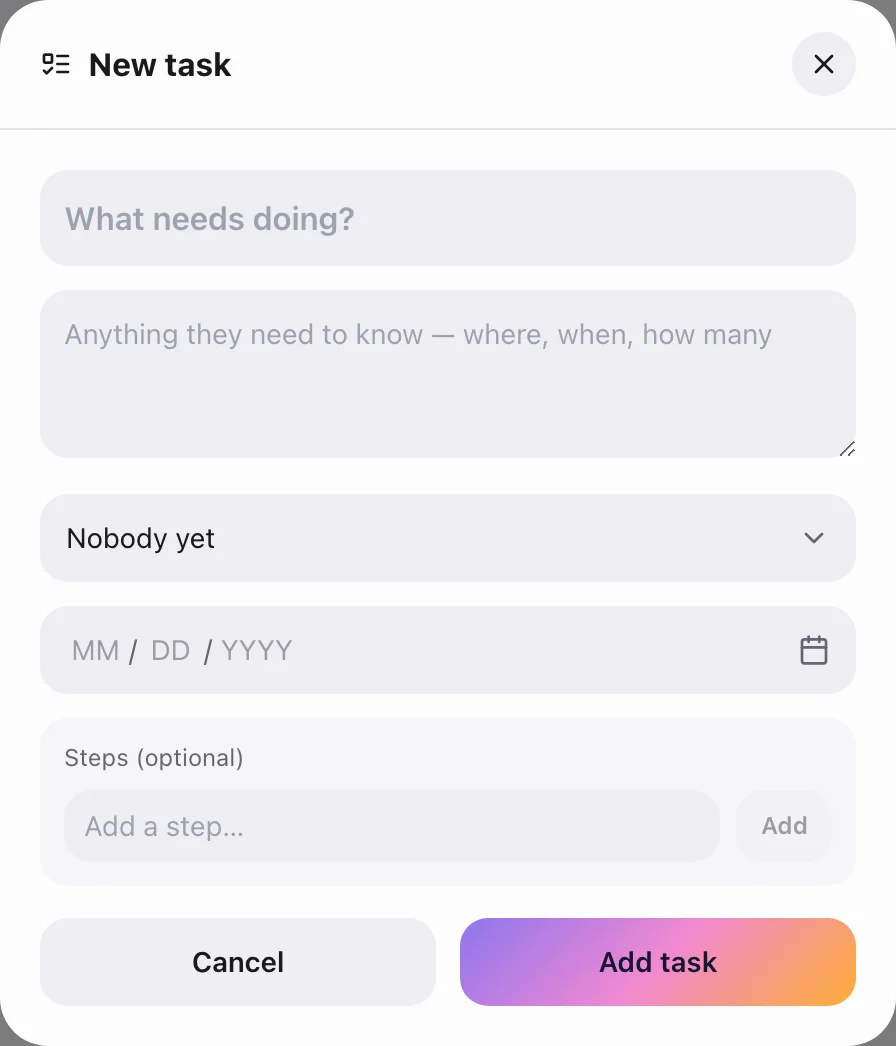
Open the person (or use the composer on the dashboard). Title, who it is assigned to, due date. Repeat if it is a regular check-in.
Work the queue
Core → Tasks is everything assigned to you or to the church. Completing a task is what makes the dashboard number move. If a number never moves, the tasks are not being closed.
Projects
Larger work (a membership class, a visitation season) can sit under a project so the tasks stay together. Open a project from Tasks.