Sheets and live lists
Save a question about the directory. The list stays current every time you open it.
4 min read · 5 steps
A sheet is a question, not a snapshot
“Everyone who joined this year with no email” is a set of rules. Open it next month and the people have changed. That is the difference between a sheet and a CSV you exported in March.
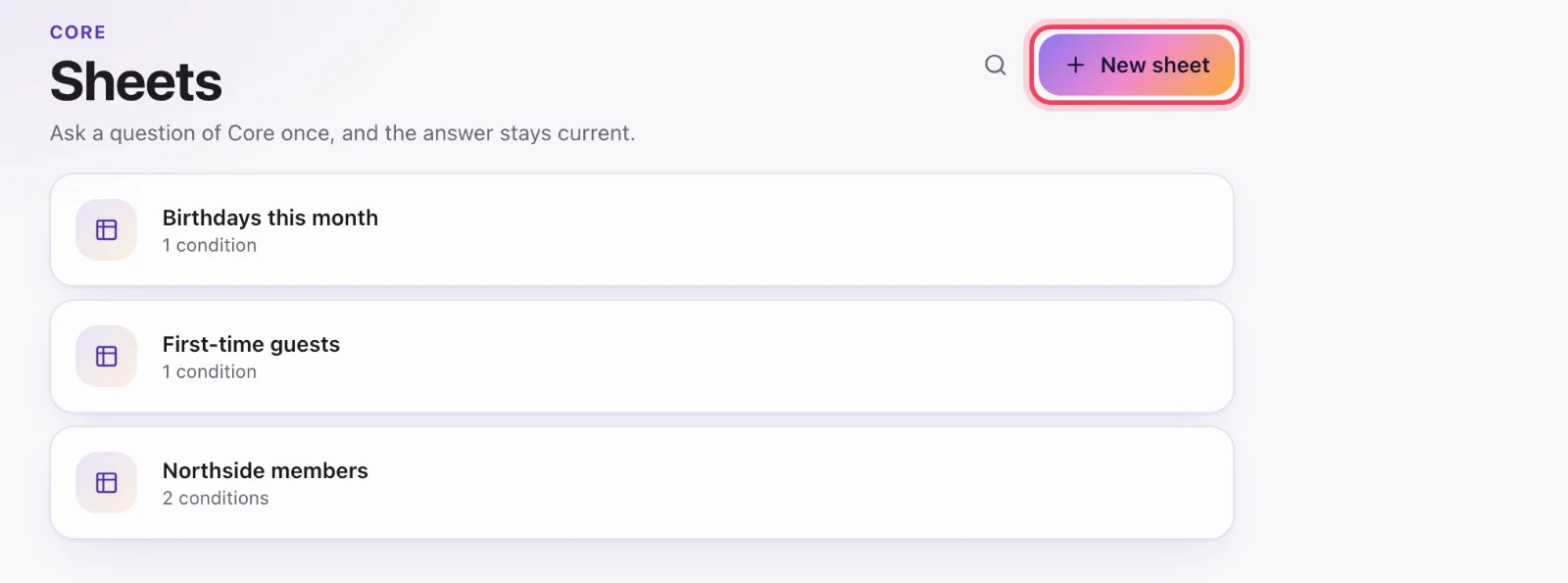
Create one
Core → Sheets → New sheet. Name it, then on Rules add conditions (campus, membership type, date added, custom field, milestone, and so on). Include people matching all of them, or any.
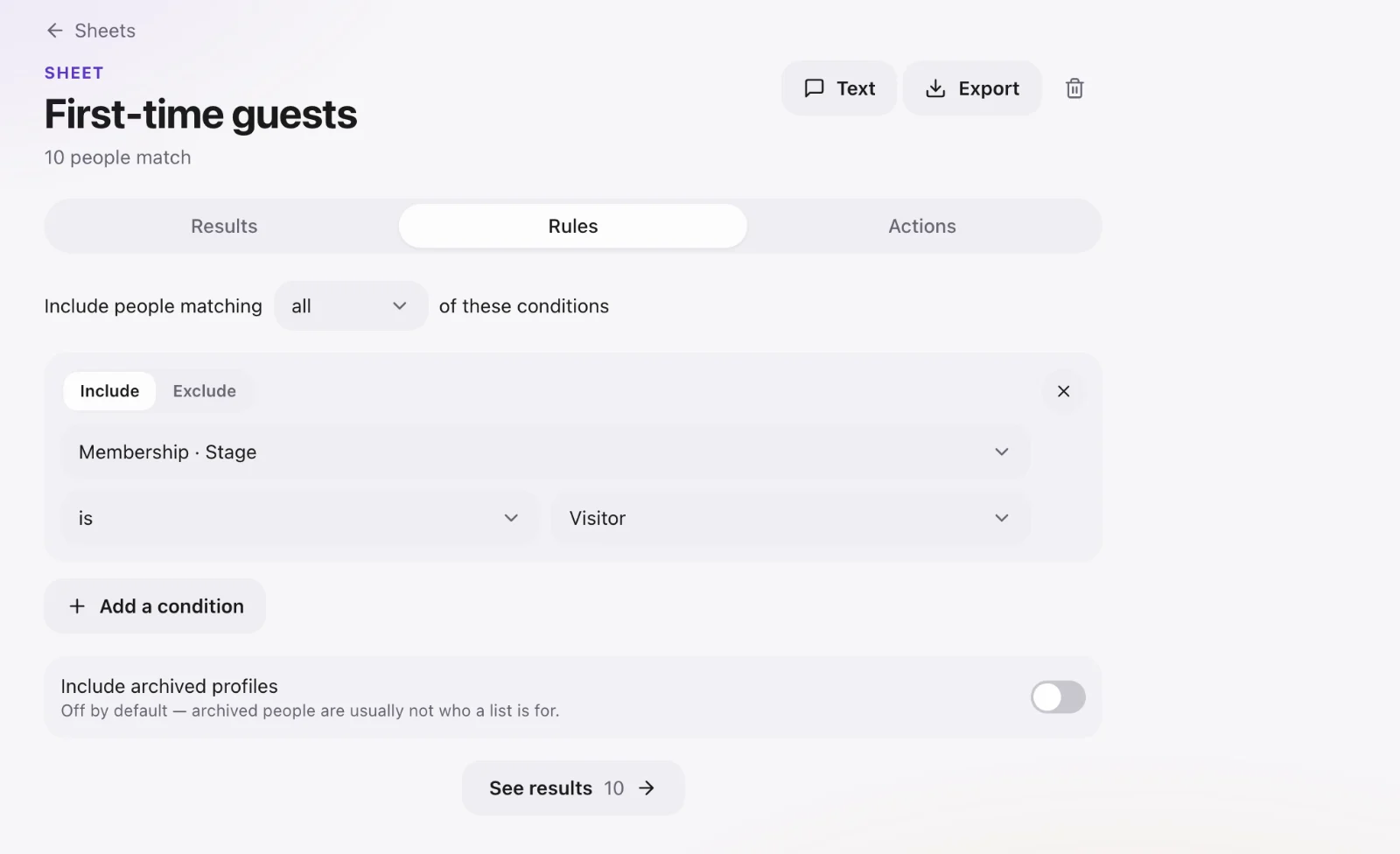
Hand-pick people too
Under the conditions, Always include keeps someone on the sheet whatever the rules say, and Never include keeps someone off it. With no rules at all, a sheet is simply the people you picked.
Use it
Results shows who matches. Text or Export from the top, or open Actions: Email everyone, or Change everyone on this sheet — set a field such as membership type, add a milestone, a follow-up task for each, add them to a Serve team, invite them to Serve. You see who it affects before anything changes, and Recent changes lets you undo it. Do not keep a private spreadsheet of the same people.
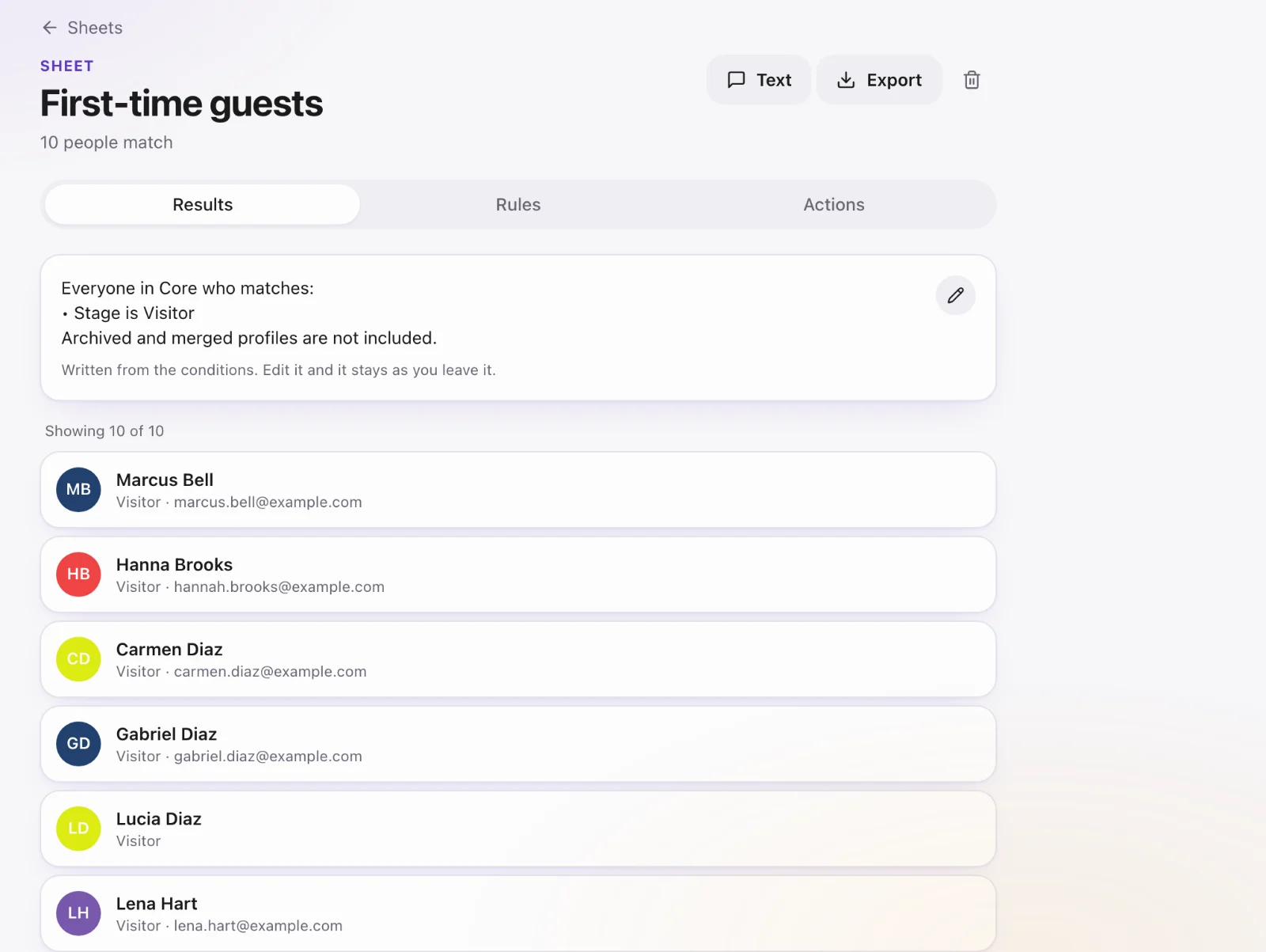
Include archived profiles?
Off by default — deleted (archived) people are not on a sheet. Turn it on only when you are cleaning the directory on purpose. Core admins can bring archived people back with Actions → Restore archived.