Merging duplicate people
Combine two profiles that are the same person. Core admins only.
4 min read · 5 steps
When to merge
You have two profiles for one human — usually because they filled in a form with a different email, or they joined Serve after someone added them by hand. Merge keeps one record and folds history onto it.
Who can merge
Only a Core admin. Others can compare two profiles but will not see the merge itself. This is the same bar as deleting a profile.
Compare and choose a keeper
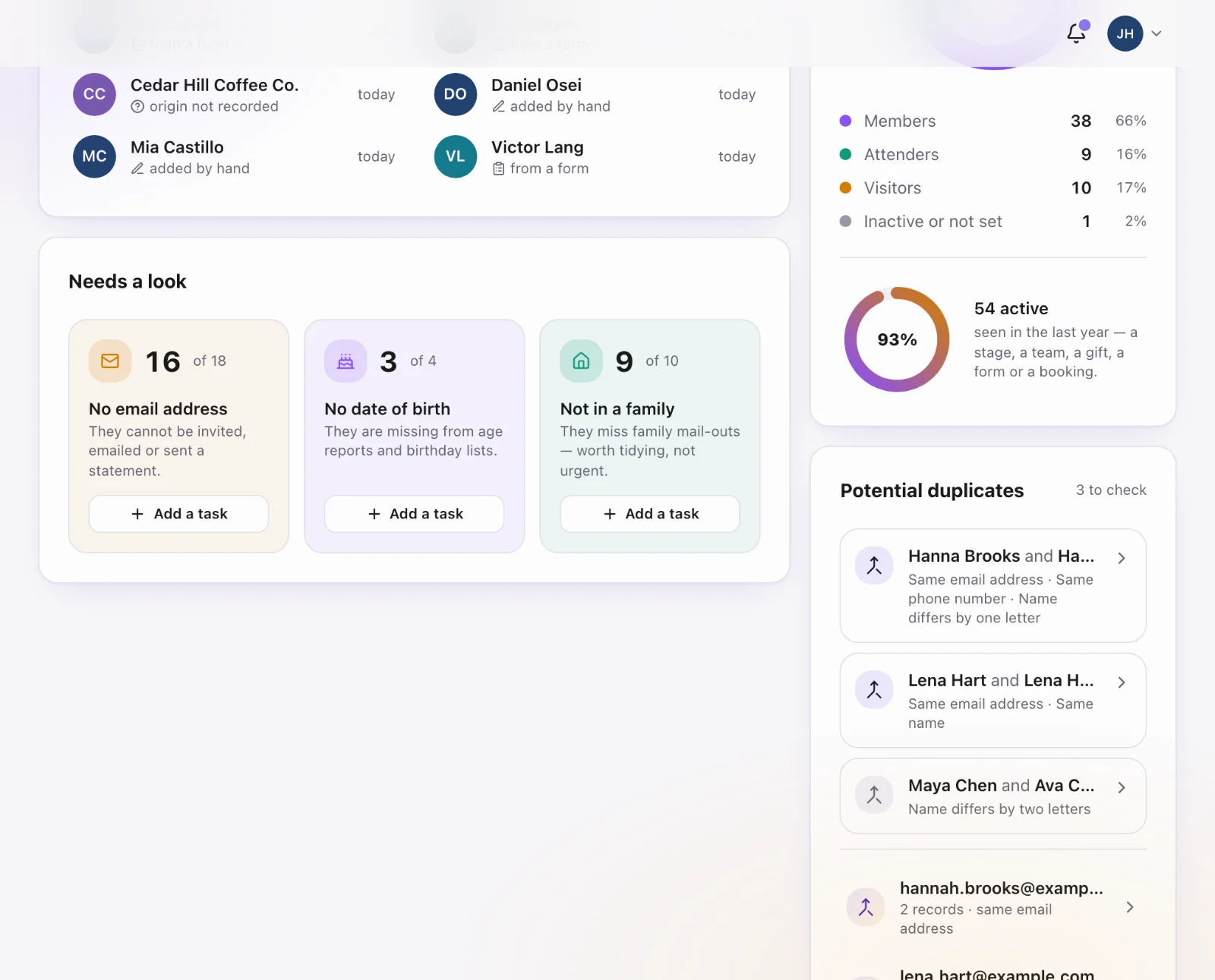
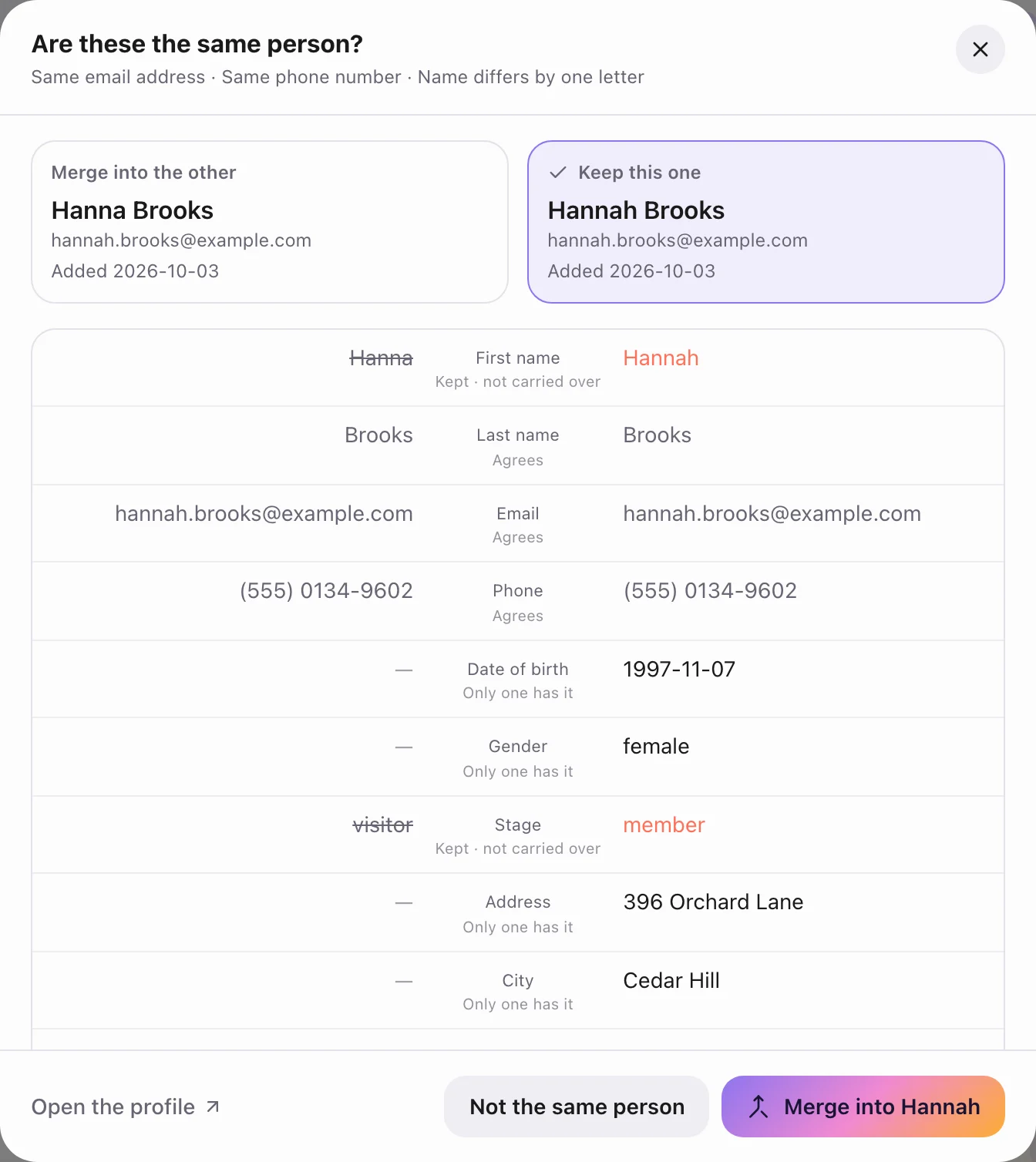
Three ways in: on a profile Sanctuary thinks is a duplicate, This may be a duplicate offers Merge in; any profile has Merge with another profile… at its foot; and the Core Overview lists potential duplicates, with Merge two profiles yourself for anything it missed. Compare the two, pick which to keep, and check name, email, household and photo so the keeper has the better data.
What moves
Forms, registrations, tasks, milestones, household membership and (if Give is on) gifts attach to the keeper. The other profile is marked merged and no longer appears in search.
Do not merge two different people
Same last name, or a shared household email, is not enough. Families share addresses. If you are not sure, do not merge — ask the people involved.