Emailing from Core
Write to one person, or design an email in your church’s colour and send it to a sheet — with the free monthly allowance, credits and unsubscribes explained.
6 min read · 7 steps
Set up where replies go
Email goes out from Sanctuary’s address with your church’s name on it, and replies come back to an address you choose — nothing to set up on your own domain. An administrator opens Account settings → Messaging → Who your email comes from, chooses Add an address for replies, enters a name and the address, and sends the confirmation. The owner of that inbox clicks the link. Until one is confirmed, the composer says there is nowhere for replies to go.
One person
Open their profile and click their email address. Choose who it is from, write the subject and message, and attach a file if you need to. Emails to one person are always free, and they are listed under To one person in Core → Email.
Design an email
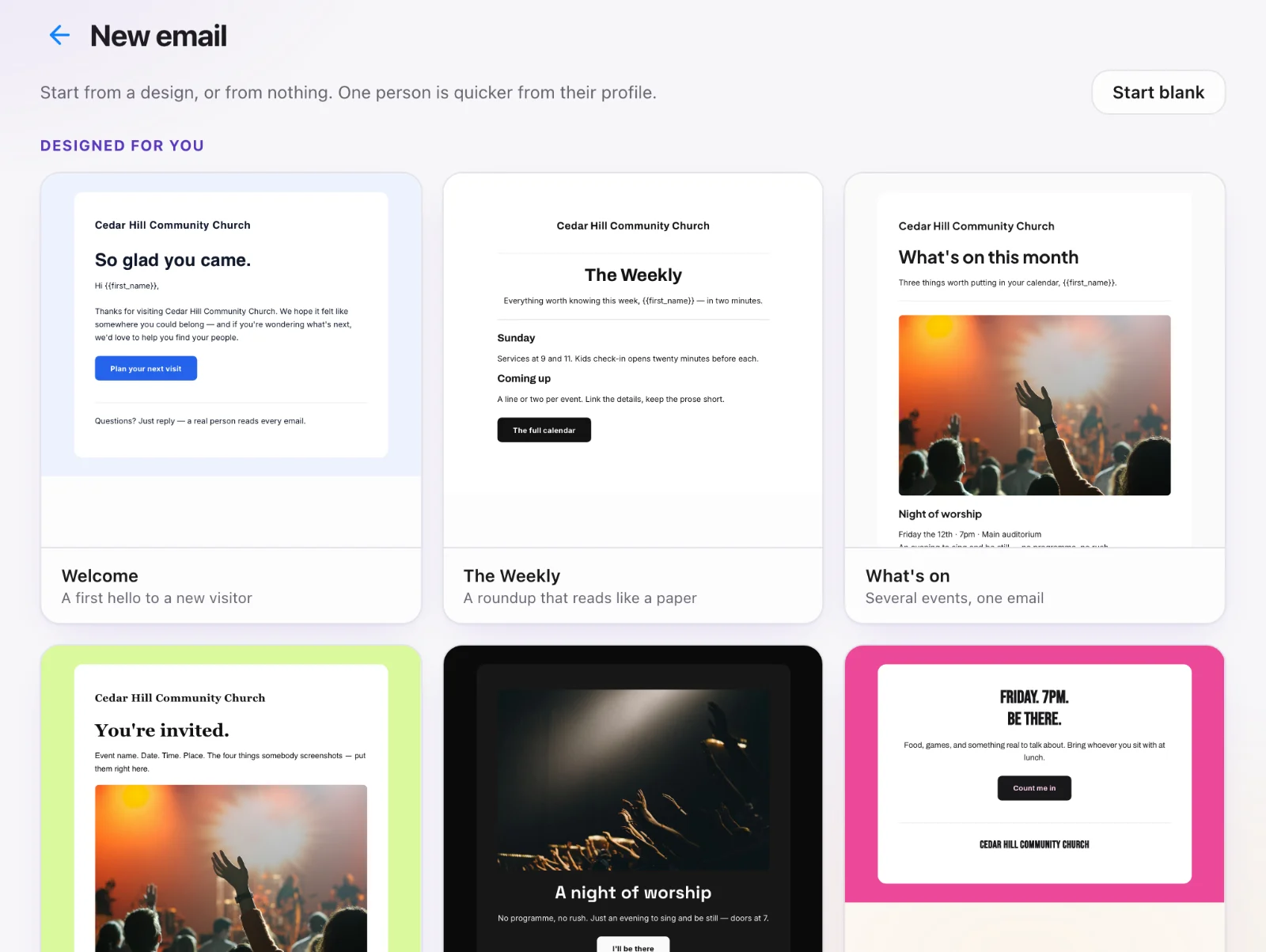
Core → Email → New email. Every design arrives in your church’s colour (set it on the My Church app page if you have not yet). Choose one and Use this design, or Start blank. Click the words and pictures to change them, and Add a block for a heading, text, image, button, video (paste a YouTube or Vimeo link), two columns, an event or your social links. Style changes the colours and fonts. Save template keeps it under Templates for next time.
Send it to a sheet
Under To, choose a sheet. Before you send, Sanctuary shows how many people will receive it, how many have unsubscribed, and what it costs. Then choose Send. From a sheet you can start the same way with Actions → Email everyone. Each mailing is listed under Mailings with how many it reached.
What it costs
A mailing to 500 people or fewer comes out of your plan’s free monthly allowance: 1,000 emails a month on Core, 5,000 on Essentials, 10,000 on Complete and 25,000 on Multi-Site and Enterprise. A larger mailing uses email credits, one per person; credits do not run out at the end of the month, and you can buy more on Core → Email → Usage, which also shows where you are. Emails to one person, receipts, statements, form confirmations and check-in passes are always free and never counted.
Pictures stay put
Every picture in an email is kept by Sanctuary when the email is sent, so it still shows years from now, even if the website it came from changes. Large photos are shrunk to email size for you. Core → Email → Usage shows how much picture storage your church is using.
They can leave
An unsubscribe link is added to the bottom of every mailing, and anyone who uses it is skipped on the next one — do not add them back by hand. If too many people mark mailings as spam or too many addresses bounce, mailings pause and Core → Email says so; emails to one person and receipts still go. Get in touch with us to lift a pause.