How people can give
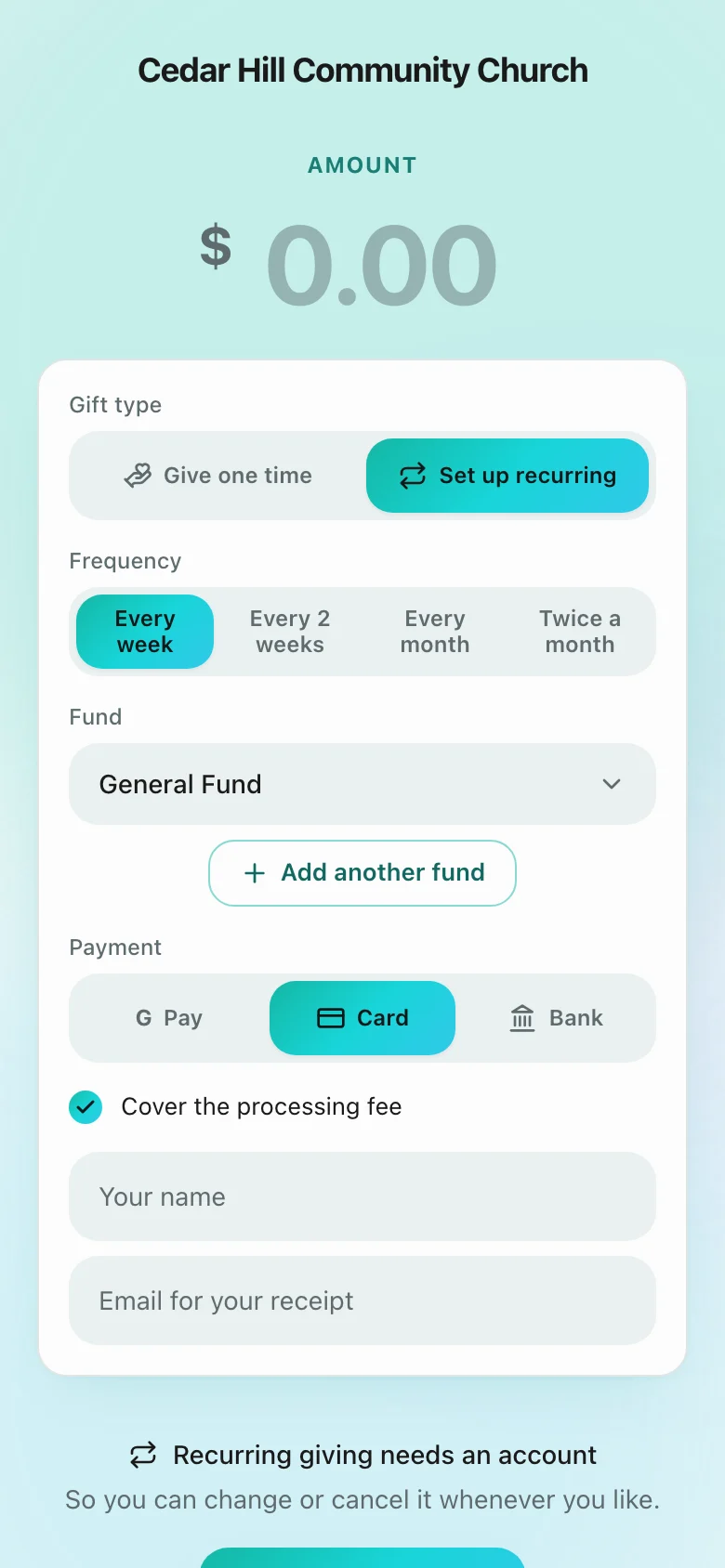
Card, Apple Pay, Google Pay and bank transfer (ACH), recurring gifts, covering the fee, and refunds.
4 min read · 6 steps
Card
Every giving page takes debit and credit cards. Givers do not need a Sanctuary login to give.
Apple Pay and Google Pay
Offered automatically on phones and browsers that support them. Sanctuary registers your giving page with your Stripe account so the buttons can appear; if a wallet is not available on someone’s device, they simply see the card form.
Bank transfer (ACH)
US bank transfers cost much less than cards. Turn on ACH Direct Debit in your own Stripe dashboard; your giving page offers Bank as soon as Stripe makes it active. Bank gifts take a few days to clear, so they show as processing until they do.
Recurring gifts
If you allow it on the giving page, people can give weekly or monthly by card, wallet or bank. They manage their own gifts from My giving.
Covering the fee
Givers can choose to add the processing fee to their gift. The amount shown is the exact fee for the way they are paying, not an estimate.
Refunds
Open the gift in Give → Giving and refund all or part of it. The money goes back the way it came. A gift the giver has disputed with their bank is returned by the dispute, so it cannot be refunded as well.