Church codes and invitations
How people get in: the 6-character code, QR, and emailed invitations.
3 min read · 4 steps
The code is a join credential
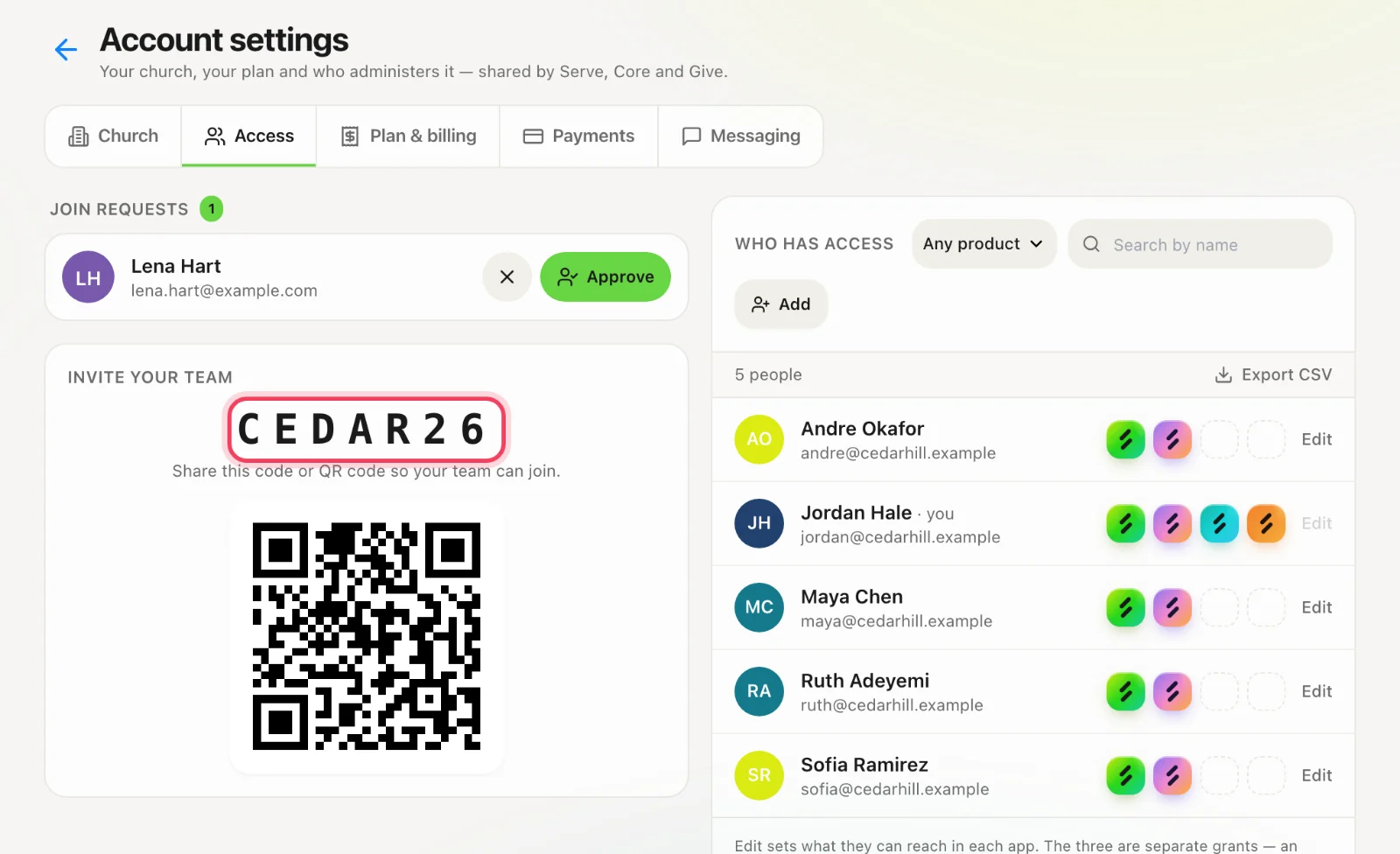
Your Church Code is unique across Sanctuary. Anyone who knows it can request to join. They still need admin approval unless you also sent them an invitation. Do not print the church code on a public webpage — use a giving slug or calendar token for those.
Where to find it
Administrators: Account settings → Access shows the code and its QR code, under Invite Your Team. Volunteers do not see it.
Invite by email
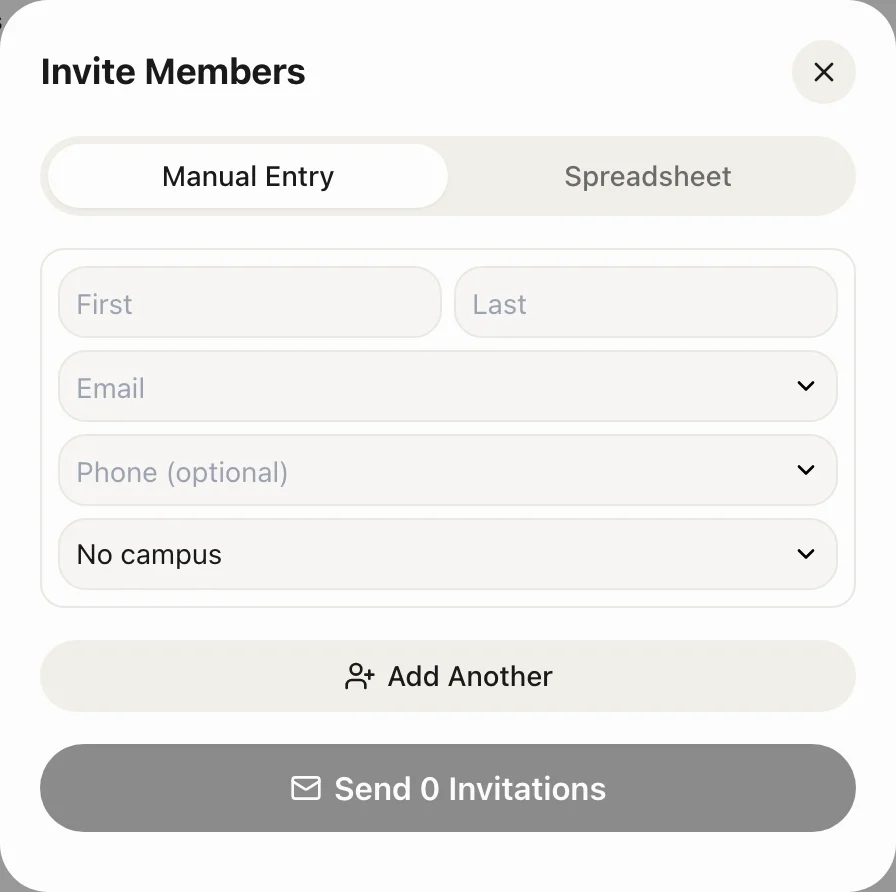
Admins open Teams → Members → Invite Members. Enter name, email, and campus. Invitations count toward your member limit. The person gets a link that joins them immediately when they sign in with that address.
Approving code joins
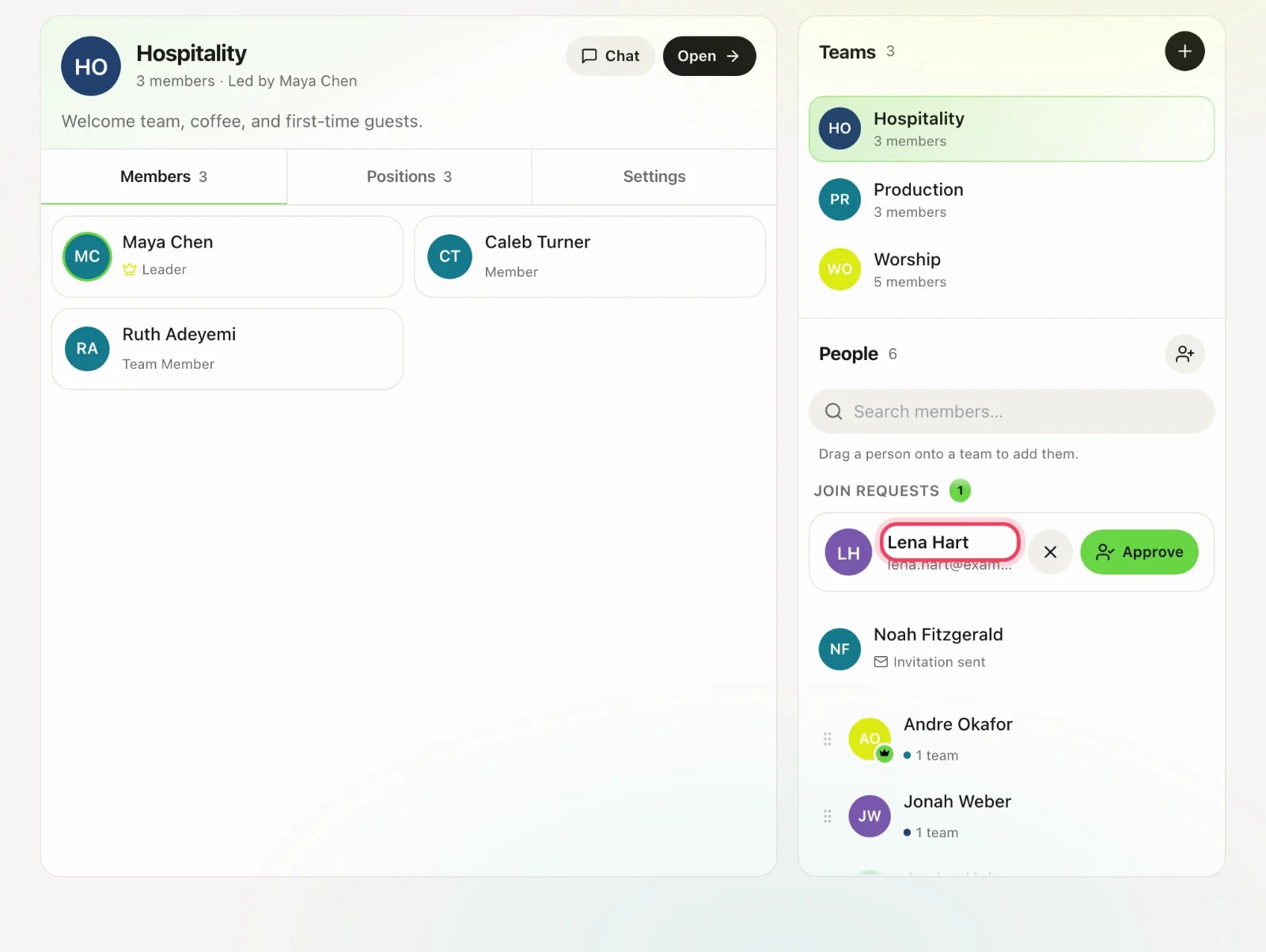
When someone uses the code, administrators get a notification. Approve or decline in Account settings → Access, or in Serve under Teams → Members. Pending requests count toward your plan’s member limit, so when it is full nobody new can join until a place frees up or the plan changes (Account settings → Plan & billing).